

What Is IP Voice? Definition, Benefits, System Architecture, and Applications
IP Voice is one of the core technologies behind modern business telephony, industrial communication, emergency dispatch, and unified communication systems. Instead of relying on traditional analog telephone lines or dedicated circuit-switched voice networks, IP Voice transmits voice as digital packets across an IP-based network. This makes voice communication more flexible, easier to integrate, and more suitable for organizations that need scalable communication across offices, factories, tunnels, ports, energy sites, campuses, and control centers.
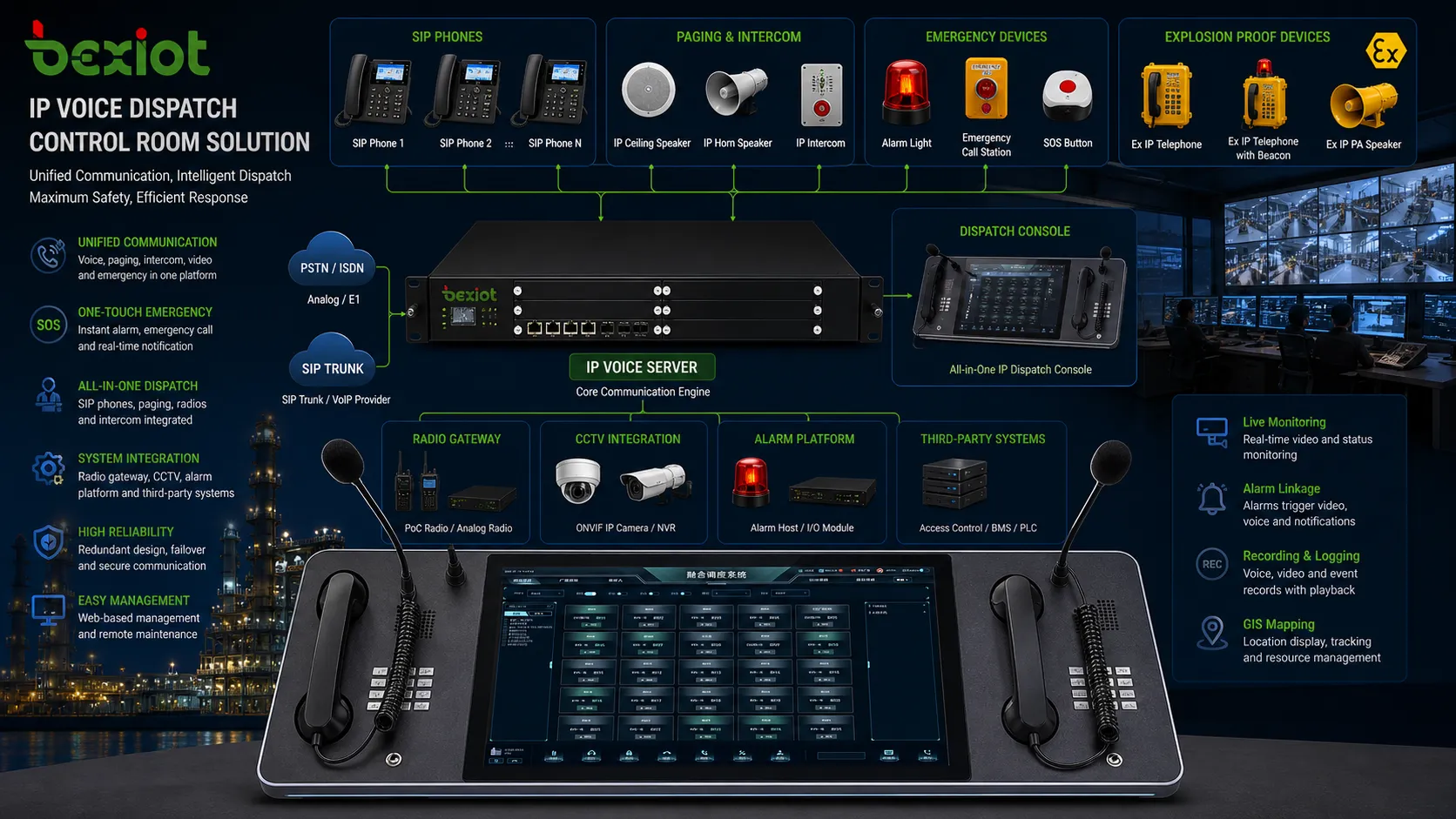
For many enterprises, IP Voice starts as a replacement for traditional phone systems. However, in industrial and safety-critical environments, it becomes much more than office calling. It can connect SIP phones, IP PBX platforms, industrial telephones, explosion-proof telephones, emergency help points, paging speakers, dispatch consoles, CCTV systems, radio gateways, alarm platforms, and command centers into one coordinated communication network.

What Is IP Voice?
Definition of IP Voice
IP Voice refers to voice communication that is transmitted over an Internet Protocol network. The speaker’s voice is captured, converted into digital data, compressed or encoded by an audio codec, divided into packets, and sent through a LAN, WAN, private fiber network, cellular network, or the public internet. At the receiving end, the packets are reassembled and converted back into audio.
In practical system design, IP Voice usually involves SIP signaling, RTP media transmission, IP phones, SIP terminals, IP PBX servers, VoIP gateways, SIP trunks, and network infrastructure. It allows voice communication to share the same IP network used by data, video, alarms, and management systems.
IP Voice and VoIP
IP Voice and VoIP are closely related terms. VoIP, or Voice over Internet Protocol, usually describes the technology that carries voice over IP networks. IP Voice is often used as a broader system-level term, especially in enterprise, industrial, and unified communication scenarios. It may include IP telephony, SIP intercom, paging, dispatch, emergency calling, remote management, and integration with other safety or operational systems.
For example, a standard VoIP deployment may focus on office calls and SIP trunking, while an industrial IP Voice system may include rugged SIP phones in production areas, explosion-proof telephones in hazardous zones, horn speakers for emergency announcements, and a dispatch console in the control room.
IP Voice should not be understood only as internet calling. In professional communication systems, it is an IP-based voice infrastructure that supports telephony, intercom, paging, dispatch, emergency response, and multi-system linkage.
How Does IP Voice Work?
Voice Capture and Digital Encoding
When a user speaks into an IP phone, SIP intercom, industrial telephone, or microphone console, the device captures the analog voice signal through a microphone. The voice is then converted into digital audio and processed by a codec. Common codecs include G.711, G.722, Opus, G.729, and other formats used for different bandwidth and quality requirements.
Codec selection affects call quality, bandwidth consumption, delay, and compatibility. For high-definition voice, codecs such as G.722 and Opus may provide clearer audio. For low-bandwidth connections, compressed codecs may be selected to reduce network load.
SIP Signaling and RTP Media
Most IP Voice systems use SIP, or Session Initiation Protocol, for call signaling. SIP is responsible for registering endpoints, locating users, setting up calls, managing call transfer, supporting call hold, and ending sessions. Once a call is established, the actual voice stream is commonly transmitted using RTP, or Real-time Transport Protocol.
This separation between signaling and media makes IP Voice flexible. The SIP server or IP PBX manages call control, while the audio stream can travel between devices according to the system design, network routing, and security policy.
Call Routing and System Control
In an IP Voice system, calls are routed according to extension numbers, dial plans, user groups, time schedules, permissions, emergency rules, and external trunk settings. The IP PBX or SIP server determines whether a call should go to another internal extension, a paging zone, a dispatch console, a SIP trunk, or a gateway connected to legacy telephone lines.
Advanced systems can also trigger call recording, automatic announcements, operator queues, priority calling, emergency escalation, and integration with CCTV or alarm platforms. This is why IP Voice is widely used in both enterprise communication and mission-critical environments.
Core Components of an IP Voice System
IP PBX or SIP Server
The IP PBX or SIP server is the central control platform of an IP Voice system. It manages SIP registration, extension numbering, call routing, voicemail, conferencing, call queues, recording, permissions, and connection with SIP trunks or gateways. In a simple office deployment, the IP PBX may mainly support desk phones and external calls. In an industrial deployment, it may become part of a larger command and dispatch communication system.
For industrial projects, the IP PBX can be connected with dispatch consoles, SIP paging systems, alarm servers, radio gateways, emergency telephones, and monitoring platforms. This allows the voice system to support both daily communication and emergency response.
IP Phones and SIP Terminals
IP Voice endpoints include desktop IP phones, video phones, softphones, SIP intercoms, wall-mounted call stations, industrial telephones, explosion-proof telephones, emergency help points, paging microphones, and operator dispatch consoles. These devices register to the SIP server or IP PBX and communicate through the IP network.
Device selection depends heavily on the application environment. Office users may need multi-line IP phones with HD voice and programmable keys. Public areas may require vandal-resistant phones. Industrial sites may need waterproof, dustproof, corrosion-resistant, or explosion-proof SIP terminals. Control rooms may require dispatch consoles with multi-party calling, paging control, recording, and visual system linkage.
SIP Trunks and VoIP Gateways
SIP trunks connect an IP PBX to telecom carriers through IP-based voice services. They allow organizations to make and receive external calls without relying only on traditional analog or digital telephone lines. SIP trunks are commonly used for enterprise telephony, contact centers, multi-branch communication, and cloud voice services.
VoIP gateways connect IP Voice systems with legacy devices or networks, such as analog phones, PSTN lines, radio systems, or older PBX equipment. This is useful when a project needs to preserve existing infrastructure while gradually migrating to IP-based communication.
Network Infrastructure
IP Voice depends on reliable network infrastructure. Switches, routers, firewalls, PoE switches, VLANs, QoS policies, fiber links, and network monitoring tools all affect voice performance. Since voice traffic is sensitive to latency, jitter, and packet loss, the network must be designed with sufficient bandwidth, proper prioritization, and stable routing.
In harsh or mission-critical environments, the network may also require redundant links, backup power, surge protection, outdoor-rated cabling, industrial Ethernet switches, and isolated communication segments. These measures help keep IP Voice available during emergencies or network disturbances.
IP Voice System Architecture
Basic Enterprise IP Voice Architecture
A basic enterprise IP Voice architecture includes SIP phones connected to the local network, an IP PBX or SIP server for call control, and a SIP trunk or VoIP gateway for external communication. Users can make internal calls through extension numbers and external calls through carrier trunks. Administrators can centrally manage users, call permissions, call logs, and system features.
This architecture is suitable for offices, hotels, schools, warehouses, commercial buildings, and small to medium-sized businesses that need flexible extension management and lower communication complexity.
Industrial IP Voice Architecture
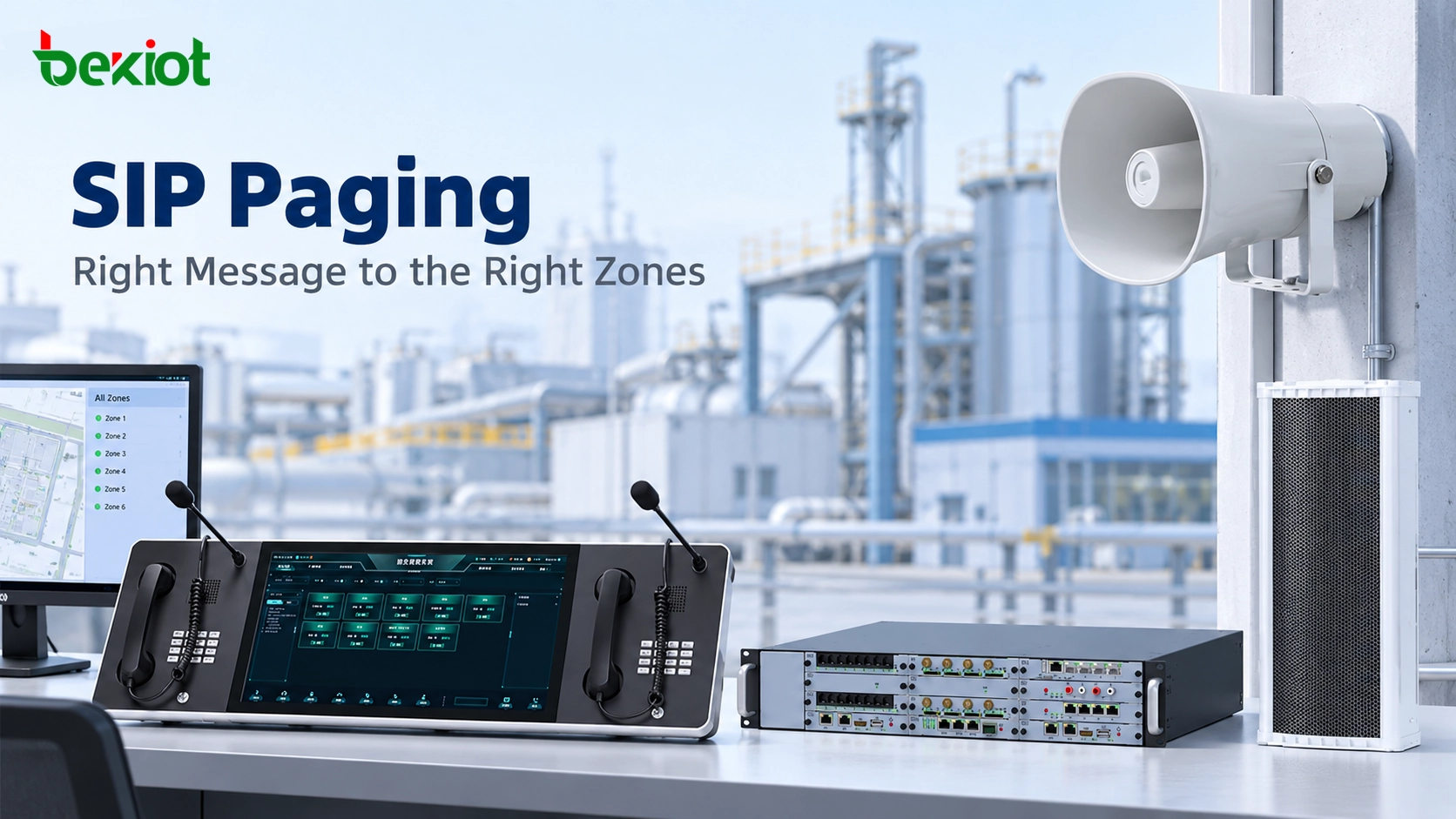
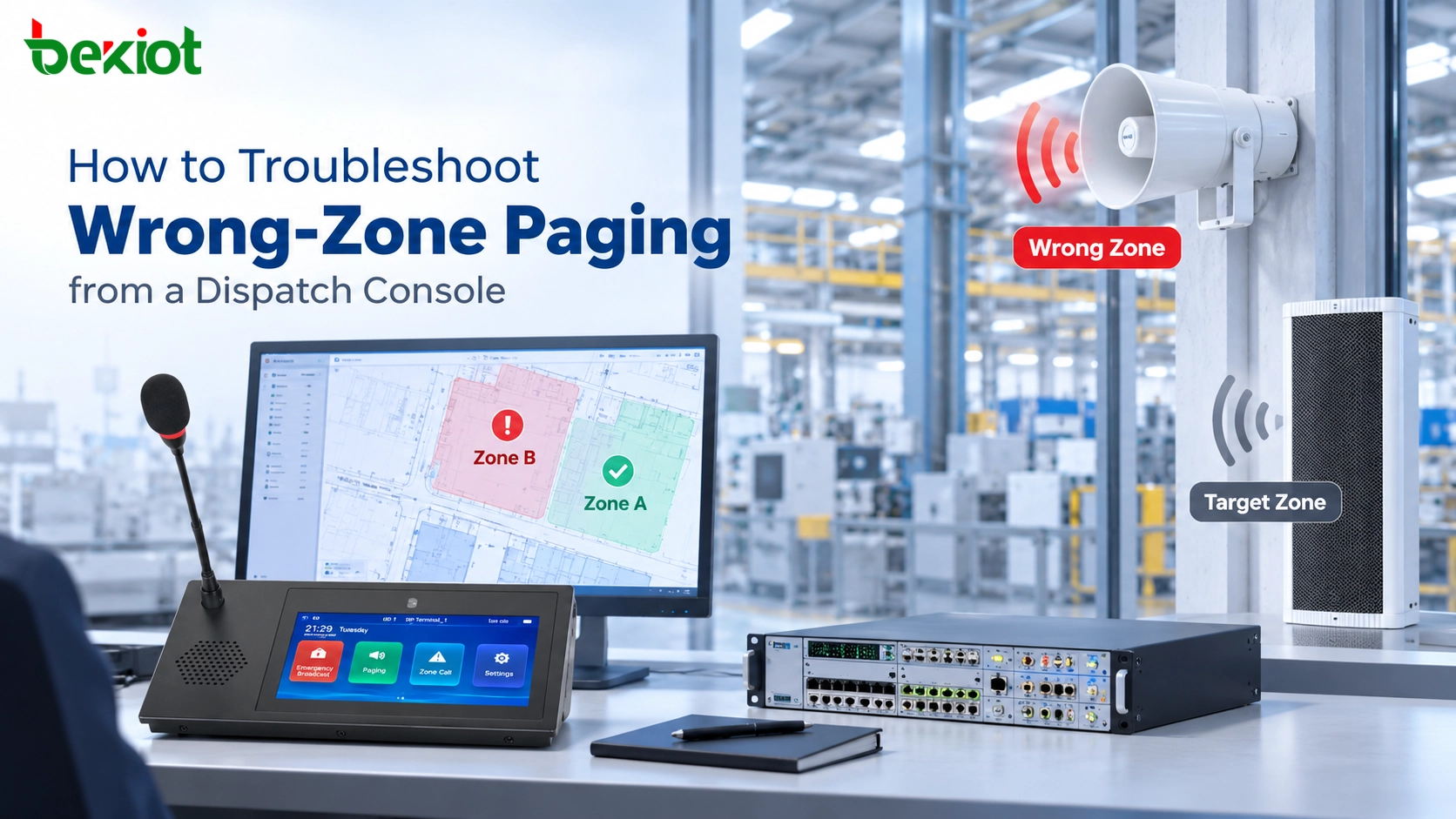
Industrial IP Voice architecture usually includes more endpoint types and stronger system integration. In addition to IP phones and the IP PBX, it may include industrial SIP telephones, explosion-proof telephones, emergency call boxes, SIP horn speakers, IP speakers, paging gateways, dispatch consoles, CCTV linkage, alarm input modules, and radio interconnection through RoIP gateways.
In this architecture, a worker can press an emergency button on a tunnel phone, chemical plant telephone, or help point. The call can be routed to the control room, trigger a visual alarm on the dispatch console, display the related camera view, activate a paging zone, and record the incident for later review. The value of IP Voice comes from this ability to combine voice, status, location, video, and alarm information into a coordinated response workflow.

Cloud, On-Premise, and Hybrid Architecture
IP Voice systems can be deployed on-premise, in the cloud, or in a hybrid model. An on-premise IP PBX gives organizations more local control and is often preferred for industrial sites, transportation systems, and emergency communication networks. A cloud PBX reduces local server maintenance and supports flexible remote access for distributed teams. A hybrid model combines local reliability with cloud connectivity.
For safety-critical projects, a hybrid model can be especially practical. Critical local calling, emergency paging, and field communication can remain available on-site, while remote branches, mobile users, and external management features can be supported through cloud or wide-area connectivity.
Benefits of IP Voice
Scalability and Flexible Expansion
IP Voice systems are easier to expand than traditional telephone systems. New users, extensions, SIP phones, paging zones, branches, and remote endpoints can be added through network access and software configuration. This is useful for growing businesses, multi-site organizations, industrial parks, transportation networks, and public infrastructure projects.
When the communication system is based on IP, expansion does not always require a separate voice cable for every new device. Many endpoints can use existing Ethernet infrastructure, PoE switches, fiber networks, or secure remote connections.
Cost Efficiency and Simplified Cabling
IP Voice can reduce the cost and complexity of maintaining separate voice and data networks. Internal calls between sites can be carried through private IP links, while SIP trunks can reduce dependence on legacy telephone lines. In large facilities, using IP-based endpoints can also simplify cabling and centralized management.
The cost advantage is not only about call charges. It also comes from easier system administration, centralized monitoring, flexible routing, remote configuration, and the ability to integrate multiple communication functions on one platform.
Unified Communication and System Integration
One of the strongest advantages of IP Voice is integration. Voice communication can be linked with video surveillance, access control, alarm systems, paging, recording, GIS maps, dispatch platforms, and business applications. This creates a unified communication environment instead of isolated devices and separate systems.
For example, in a transportation tunnel, an emergency SIP phone can call the control room, identify the call location, trigger CCTV pop-up, activate a related paging zone, and support operator dispatch. In a factory, an alarm event can trigger voice notification to specific teams or broadcast instructions to a production area.
The real value of IP Voice is not only making calls over a network. Its value is connecting voice communication with operational workflows, emergency response, and centralized system management.
Better Management and Device Monitoring
IP Voice systems can be centrally configured and monitored. Administrators can manage extensions, device status, firmware updates, call logs, recording files, dial plans, user permissions, and routing rules from a unified platform. This improves operational visibility and reduces maintenance pressure.
In industrial environments, device monitoring is especially important. If an emergency telephone, SIP speaker, or field terminal goes offline, the maintenance team should know quickly. IP-based management makes it easier to detect device faults, network interruptions, registration failures, and abnormal call behavior.
Improved Mobility and Multi-Site Communication
IP Voice supports communication across multiple locations. Branch offices, remote workers, control rooms, warehouses, substations, and field sites can be connected through private networks, VPNs, cloud platforms, or SIP trunk services. Users can communicate through IP phones, softphones, mobile clients, or dispatch terminals depending on the system design.
This flexibility is useful for companies with distributed operations, public service networks, energy facilities, logistics centers, and industrial sites that require centralized coordination across different locations.
Common Applications of IP Voice
Enterprise Office Communication
In office environments, IP Voice is used for extension calling, external calls, voicemail, call transfer, call hold, call queues, conferencing, receptionist services, contact centers, and remote work support. It provides a flexible and manageable alternative to traditional PBX systems.
Businesses can connect desk phones, softphones, video phones, and mobile clients under the same numbering and call routing system. This improves collaboration and makes communication easier to manage across departments and branches.
Industrial Plants and Hazardous Areas
Industrial plants require communication equipment that can operate reliably in noise, dust, humidity, vibration, high temperature, corrosive conditions, or hazardous areas. IP Voice can connect rugged SIP telephones, explosion-proof telephones, paging speakers, and control room dispatch systems to support daily coordination and emergency response.
In oil and gas facilities, chemical plants, mines, power plants, and manufacturing sites, IP Voice can help field workers contact control rooms, receive emergency announcements, report incidents, and coordinate maintenance operations. When combined with paging and alarm linkage, it becomes part of the site’s safety communication infrastructure.
Transportation, Tunnels, and Public Infrastructure
IP Voice is widely used in metro systems, railway stations, highway tunnels, utility corridors, airports, ports, and public infrastructure. These environments require reliable communication between passengers, field staff, maintenance teams, control rooms, and emergency response units.
Emergency telephones, help points, SIP intercoms, paging speakers, and dispatch consoles can be connected through an IP Voice platform. Operators can receive calls, locate incidents, broadcast instructions, coordinate rescue teams, and record communication events.
Campus, Hospital, and Public Safety Communication
Campuses, hospitals, municipal facilities, parking areas, and public spaces can use IP Voice for emergency help points, security intercoms, blue-light phones, paging systems, and command center communication. The system can provide direct voice contact between people in need and security operators.
When integrated with CCTV, access control, and alarm systems, IP Voice improves situational awareness. Operators can identify where a call comes from, view the surrounding area, communicate with the caller, and coordinate the response more quickly.
Command Centers and Dispatch Communication
In command centers, IP Voice supports operator dispatch, multi-party calling, group calling, emergency conferencing, call recording, paging control, and integration with radio systems. Dispatchers can manage communication between field teams, control rooms, supervisors, and external emergency services.
For industrial, transportation, and public safety projects, dispatch-oriented IP Voice systems provide a more operational communication model than ordinary office telephony. They are designed for fast response, clear command delivery, and coordinated incident handling.

Key Considerations When Deploying IP Voice
Network Quality and QoS
Voice traffic is highly sensitive to latency, jitter, and packet loss. A well-designed IP Voice network should include bandwidth planning, VLAN separation, QoS configuration, stable switching, proper routing, and continuous monitoring. Without proper network planning, users may experience delay, echo, broken audio, or dropped calls.
For critical communication, redundancy should also be considered. Backup links, redundant servers, UPS power, PoE power backup, and failover routing can help maintain communication during network or power failures.
Security and Access Control
Because IP Voice runs on data networks, it must be protected against unauthorized registration, toll fraud, interception, spoofing, and denial-of-service attacks. Security measures may include strong SIP passwords, authentication policies, network segmentation, firewall rules, TLS, SRTP, SBC deployment, and restricted dialing permissions.
In enterprise and industrial systems, voice security should be planned together with the overall network security strategy. External SIP trunks, remote extensions, and cloud connections require particular attention.
Endpoint Selection
Different environments require different IP Voice endpoints. Office users may need desktop IP phones with HD voice and programmable keys. Public areas may require vandal-resistant telephones. Industrial sites may require waterproof and dustproof telephones. Hazardous areas may require certified explosion-proof telephones. Outdoor locations may require weather-resistant call stations and high-volume audio output.
Selection factors should include installation environment, protection rating, impact resistance, audio volume, protocol compatibility, power supply, mounting method, button design, emergency function, maintenance access, and long-term product availability.
Interoperability and Future Expansion
An IP Voice system should be designed with interoperability in mind. SIP compatibility, codec support, integration interfaces, gateway options, API availability, and support for third-party systems all affect long-term flexibility. This is especially important for projects that need to connect telephony, paging, radio, CCTV, alarms, and dispatch platforms.
Future expansion should also be considered at the beginning of the project. A system that starts with basic calling may later need paging zones, emergency help points, recording, remote branches, mobile clients, or control room dispatch functions.
Becke Telcom IP Voice Solutions
Becke Telcom provides industrial IP Voice and SIP communication solutions for harsh environments, public safety, transportation, energy, petrochemical, tunnel, port, and emergency dispatch applications. The solution can combine industrial SIP telephones, explosion-proof telephones, emergency help points, SIP paging terminals, IP speakers, dispatch consoles, IP PBX integration, RoIP gateway integration, and unified communication platforms.
For projects that require more than standard office calling, Becke Telcom can help build IP Voice architectures that connect people, devices, alarms, and command centers. Typical applications include tunnel emergency communication, industrial plant dispatch, hazardous-area voice communication, public-area help points, SIP paging systems, and control room integrated communication.
For industrial and safety-critical projects, a reliable IP Voice solution should combine rugged endpoints, stable SIP architecture, clear audio performance, centralized management, and practical integration with emergency response workflows.
By selecting the right system architecture and field devices, organizations can transform IP Voice from a simple phone system into a resilient communication platform for daily operations, emergency coordination, and long-term digital infrastructure.
FAQ
Is IP Voice the same as VoIP?
IP Voice and VoIP are closely related. VoIP usually refers to the technology of transmitting voice over IP networks, while IP Voice is often used as a broader system term that includes IP telephony, SIP phones, IP PBX, paging, intercom, dispatch, and emergency communication integration.
Does IP Voice require the public internet?
No. IP Voice can work over a private LAN, WAN, dedicated fiber network, VPN, carrier network, or the public internet. Many industrial and emergency communication systems use private IP networks to improve reliability, control, and security.
What equipment is needed for an IP Voice system?
A typical IP Voice system may include IP phones, SIP terminals, an IP PBX or SIP server, network switches, PoE power, routers, firewalls, SIP trunks, VoIP gateways, paging devices, and optional dispatch or recording platforms.
Can IP Voice be used in industrial environments?
Yes. With rugged SIP phones, industrial telephones, explosion-proof telephones, paging speakers, emergency terminals, and dispatch platforms, IP Voice can be used in factories, tunnels, ports, power plants, mines, oil and gas facilities, and hazardous areas.
What is the main advantage of IP Voice?
The main advantage of IP Voice is flexibility. It can combine voice calling, intercom, paging, dispatch, recording, alarm linkage, remote management, and multi-site communication over the same IP-based infrastructure.